The Magic Budget Calculator: Budgeting Made Easy for Everyone
Get a price that fits your Budget! Because usually the first thing asked is “What is your Budget?”
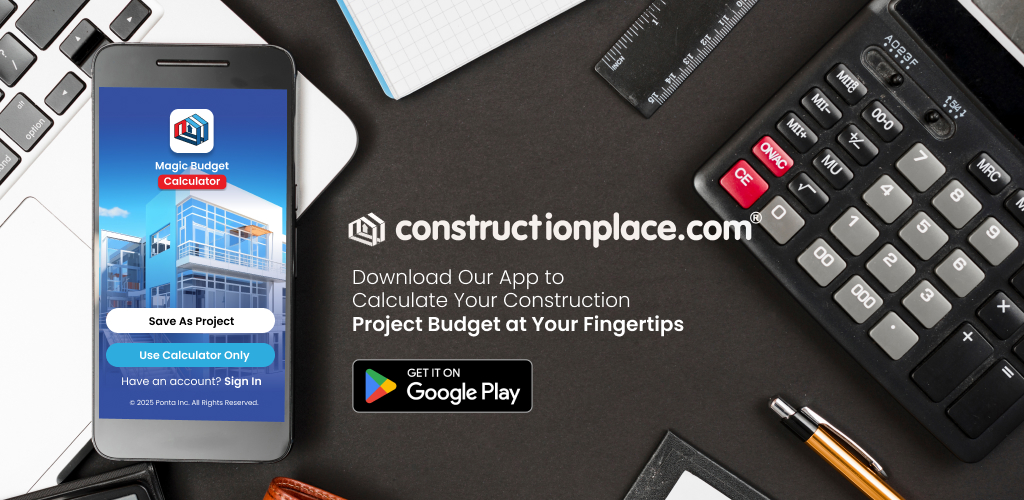
The Magic Budget Calculator is designed for a wide range of project types whether you’re starting fresh, planning, upgrading, or reimagining a space. It supports most Residential Projects, Small Commercial Builds, Tenant Improvement and Leasehold Upgrades, as well as High-Rise Condominium Renovations or new buildouts. Whether you’re a homeowner, board member, project manager, construction lender, insurance adjustor, architect or contractor the Magic Budget Calculate will work for you because it’s simple, transparent, and accessible to anyone.
Designed for Everyone-Not Just Experts-It’s a Planning Partner
The Magic Budget Calculator uses construction item descriptions that align with the CSI format divisions to organize costs in a way that’s easy to understand. You don’t need to be a financial expert or hire a consultant because this App walks you through the process step by step:
| Step | Residential and Small Commercial Projects | Tenant/Leasehold Improvements | High-Rise Condo Projects |
1Select Project Location |
Current location auto fills | Current location auto fills | Current location auto fills |
2Basic Location Information |
Enter Project Name, edit current location, select property ownership Owned or Non-Owned | Enter Project Name, edit current location, select property ownership Owned or Non-Owned | Enter Project Name, edit current location, select property ownership Owned or Non-Owned |
3Land and Building Information |
Enter Desired Construction Cost, Building Size, Land Cost, Land Size, Land Scape Sq Ft Cost, Irrigation Sq Ft Cost | Enter Projected Sales/Office or Service Area Sq Ft, and Desired Improvement Cost | Enter Projected Unit or Lanai Area Sq Ft, and Desired Improvement Cost |
4Construction Costs items |
Select or Deselect Cost Items, Make Cost Adjustments by Adding or Deducting Cost Items | Select or Deselect Cost Items, Make Cost Adjustments by Adding or Deducting Cost Items | Select or Deselect Cost Items, Make Cost Adjustments by Adding or Deducting Cost Items |
5Design and Management |
Enter percentages for Designer, Architect, or CM fees | Enter percentages for Designer, Architect, or CM fees | Enter percentages for Designer, Architect, or CM fees |
6General Requirements |
Enter percentage or Itemize General Requirements, add percentages for Contingency, Overhead and Profit | Enter percentage or Itemize General Requirements, add percentages for Contingency, Overhead and Profit | Enter percentage or Itemize General Requirements, add percentages for Contingency, Overhead and Profit |
7Review Details
|
Review Details, Save Budget or Download Budget | Review Details, Save Budget or Download Budget | Review Details, Save Budget or Download Budget |
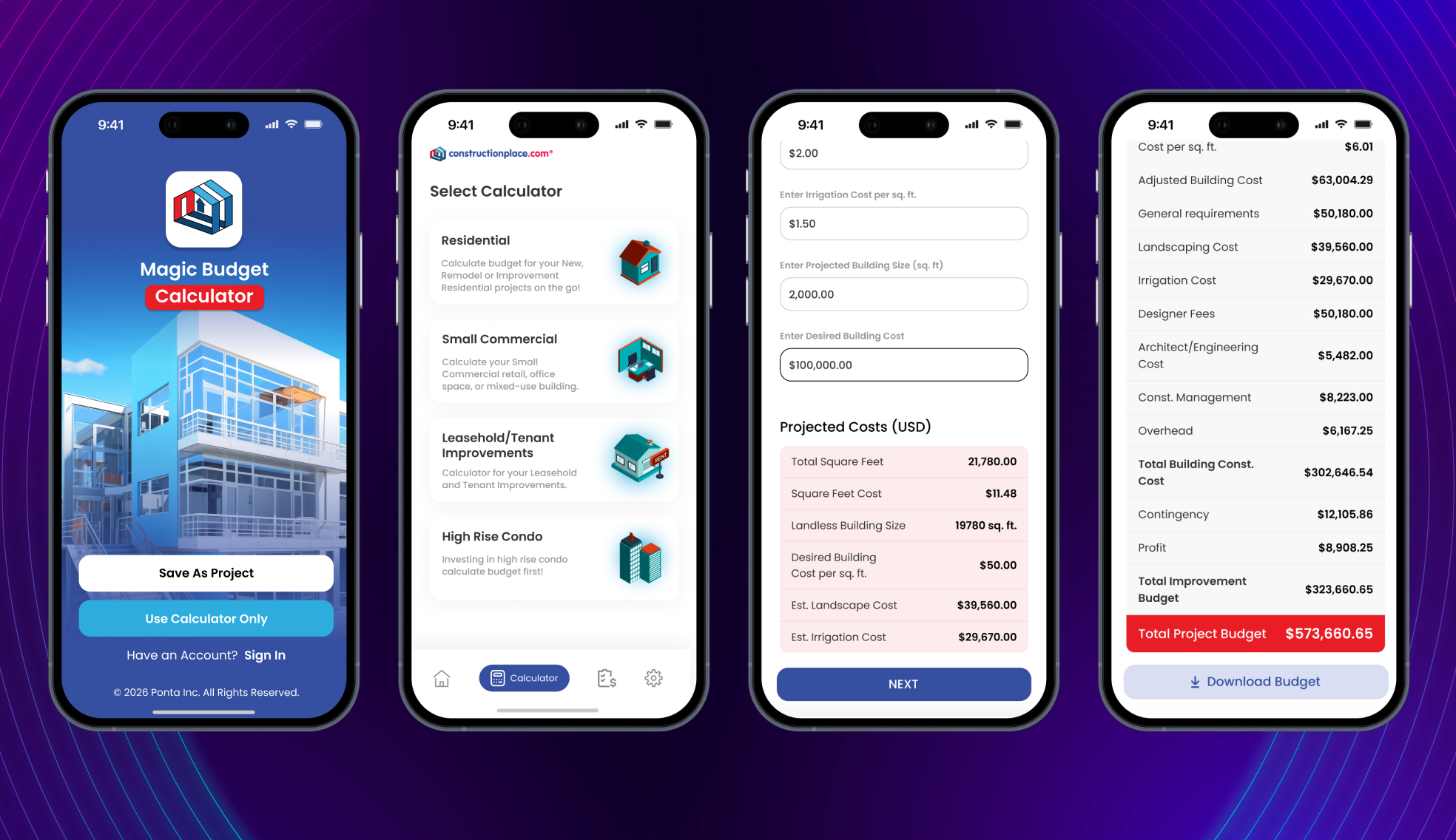
Budgeting as Exploration: Like a Game, But Grounded in Logic
One of the most empowering features of the Magic Budget Calculator is how it turns budgeting into an interactive experience. Instead of staring at static spreadsheets, users can “play” by selecting or deselecting cost allocations instantly seeing how changes affect the overall budget:
✅Want to itemize General Requirements or simply add a percentage? Test different percentages.
✅Curious how Additive or Deductive cost items can shift the balance of the total cost?
✅Wondering how much contingency to allocate?
✅Want to see how contractor Overhead and Profit affect the overall project price?
How it can be used by anyone:
✅ HOA Board of Directors can lead with transparency by offering owners this free App to budget their unit’s projects.
✅ Choose from common trade descriptions like Rough Framing, Finish Lumber, Insulation, Countertops, Cabinets, and more
✅ Users explore “what if” scenarios by adding or deducting cost items to see how changes affect the overall budget
✅ Foster collaborative planning that reduces conflict and builds trust across stakeholders
✅ Download a shareable budget for requesting contractor pricing or comparing bids
❌ Prevents overspending by aligning expectations with a desired cost
✅ Guides users step-by-step through the budgeting process, no expertise required
✅ Makes it easy to ask contractors to “Work within your Budget”
Magic Budget Calculator vs. Traditional Budgeting
| Aspect | Traditional | Magic Budget Calculator |
|
Input Method
|
Manual spreadsheets, prone to formula errors | Guided inputs with smart defaults and logic |
| User Accessibility | Requires financial literacy or professional help | Intuitive for owners, professionals, and non-professionals |
| Speed and Efficiency | Time-consuming, repetitive | Fast, automated, and scenario-ready |
| Transparency | Opaque, hard to explain to stakeholder’s | Clear breakdowns for owner education and buy-in |
| Error Risk | High—manual formulas and entry mistakes | Built-in logic minimizes human error |
| Decision Support | Raw numbers, little guidance | Actionable insights and recommendations |
| Customization | Requires manual formula changes | Dynamic, scenario-based adjustments. If you don’t see a cost item just add it. |
| Integration Potential | Standalone, rarely connected | Seamless with Constructionplace.com and sharable downloadable Budgets |
| Legacy & Impact | Functional but static | Empowers owners, supports governance reform |
Real-World Savings Potential with the Magic Budget Calculator
| Savings Opportunity | How the Magic Budget Calculator helps | Estimated Savings |
| Avoiding Scope Gaps & Redundancies | Displays all essential cost items for the selected project type | $5,000–$25,000 depending on project size |
| Right-Sizing Contingencies & Line Items | Applies industry-standard percentages and lets users test realistic scenarios. | $2,000–$15,000 through smarter allocation |
| Reducing Consultant Dependency | Owners and boards can build professional-grade budgets without hiring external consultants. | $3,000–$10,000 in consulting fees |
| Preventing Change Orders & Budget Shocks | Anticipates additive and deductive costs upfront to avoid reactive spending mid-project. | $10,000–$50,000+ through proactive planning |
| Bonus: Time Is Money | Faster approvals and Fewer Disputes | Priceless |
Here’s how people can benefit financially by using it
| Owners | Professionals |
| Spot inflated line items | A clear, CSI-based breakdown builds trust |
| Catch missing budget categories | Scenario modeling shows preparedness and transparency |
| Prevent scope creep before it happens | Benchmark costs |
| Push back on vague proposals | |
| Request fair pricing | |
| Advocate for transparent governance |
How the Magic Budget Calculator Can Power a Small Business
- Budgeting Consultant or Owner’s Rep – For anyone with basic project knowledge can use the calculator to help homeowners, boards, or small developers build easy to understand budgets.
✅Offer scenario modeling and budget walkthroughs
✅Charge for planning sessions or budget prep
✅Build trust by demystifying the numbers
- HOA Support Specialist – Help associations prepare reserve studies, capital plans, or owner renovation budgets
✅Provide clear downloadable Budget
✅Facilitate owner engagement and consensus
✅Position yourself as a transparency advocate
- Renovation Planning Advisor – Support homeowners or small commercial tenants wanting to build new or renovate but don’t know where to start.
✅Use the calculator to generate realistic budgets
✅Help them explore Additive or Deductive costs for funding options
✅Offer planning packages or coaching services
- Educational Workshops or Webinars – Teach budgeting basics using the calculator as your core tool.
✅Host community sessions for HOAs or real estate groups
✅Create downloadable guides or video walkthroughs
✅Build a reputation as a budgeting educator
- Constructionplace.com Affiliate Program– Use the Magic Budget Calculator as an added value offering.
✅Bundle it into onboarding packages
✅Offer budgeting as part of your project management toolkit
✅Use it to differentiate your offering from competitors
❌No need for advanced financial training
✅Helps users make informed decisions and builds trust in your services
Key Benefits
✅Clarity over complexity: Easy to understand cost item descriptions
✅Speed and precision: Automated calculations save time and reduce errors
✅Empowerment: Everyone can understand, question, and contribute
✅Governance alignment: Supports transparency and accountability
✅Scalability: Seamlessly integrates with Constructionplace.com and is sharable